
Review:
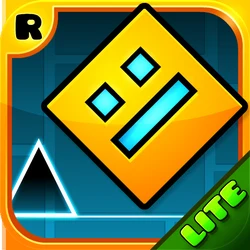
Geometry Dash Lite is the free version of one of the most famous rhythm platformers ever made. You control a small cube that moves forward on its own, and your only job is to tap the screen at the right moment to jump, fly, and flip past spikes and walls. The music and the obstacles move together, so every level feels like playing a song. With more than 620 million installs and a 4.5-star rating, it is one of the most downloaded arcade games on Android.
Also try Traffic Rider.
The idea is simple, but the game is not easy. Levels start friendly and then get brutally hard. Each failure restarts the level instantly, so you are back in the action within a second. That quick retry loop is what makes the game addictive — every crash teaches you something about the timing, and landing a clean run after fifty tries feels amazing. The soundtrack is a big part of it too. The beat tells you when to jump, and once you lock into the rhythm, your fingers almost move on their own.
Because Geometry Dash Lite is so popular, many fake copies use its name and icon. Some of them are poor clones with broken levels, and others hide aggressive ads or unwanted extras. This guide covers the real Geometry Dash Lite by RobTop Games in simple language: what the game is, how to play it, the levels and features, the latest version details, how to install the file safely, and answers to common questions.
What is Geometry Dash Lite?
Geometry Dash Lite is a free rhythm-based action platformer developed by RobTop Games, the Swedish indie studio of Robert Topala. It has been on Google Play since September 2013 and is the free trial version of the paid game Geometry Dash. The full game costs money, but the Lite version gives you a large set of the official levels for free, with no time limits.
The core mechanic never changes: your icon moves forward automatically, and you tap to jump. Holding the screen makes the cube jump repeatedly, and in flying sections holding makes your ship rise while releasing makes it fall. Portals scattered through the levels change your form — cube, ship, ball, UFO, wave, robot, spider, and swing copter — and each form controls differently. Gravity portals flip the world upside down, and speed portals change how fast everything moves. Learning to read these portals at speed is the real skill of the game.
Geometry Dash Lite APK Download Latest Version:
The latest version on this page is v2.2.148, released on October 21, 2026. The file is about 233MB and requires Android 7.0 or higher. The official package name is com.robtopx.geometryjumplite — check it after installation to confirm you have the genuine app from RobTop Games. The file is distributed as an XAPK bundle, which is the standard package format for this game on third-party stores.
Also try Super Sus.
Version 2.2.148 is part of the big 2.2 update family, which added the swing copter vehicle, a full platformer mode with free left-right movement, death tracking with markers showing where you crashed, custom platformer controls, emotes, and a news tab. Even small version bumps like this one include bug fixes and smoother navigation, so keeping the game updated is worth it. The file is large because it contains high-quality music tracks and graphics for all the levels.
How to Play Geometry Dash Lite:
Every level is an auto-scrolling course filled with spikes, blocks, saws, and gaps. Touching any hazard destroys your icon and restarts the level from the beginning. There are no lives and no game over screen — you just try again immediately. Your progress through a level is shown as a percentage bar at the top, so you always know how far your best attempt reached.
The different vehicle forms keep the gameplay fresh. The cube jumps when you tap. The ship flies up while you hold and drops when you release. The ball rolls and flips gravity on each tap. The UFO jumps in mid-air with small hops. The wave moves in a zigzag that follows your hold and release. The robot jumps higher the longer you hold. The spider teleports between the floor and ceiling. The swing copter swings in arcs that flip direction on every tap. Levels mix these forms with portals, so a single level can change how you play five or six times.
Timing is everything, but memorization matters just as much. The levels never change, so every obstacle is always in the same place. Good players learn each section by heart and play it from muscle memory. The music helps — jumps line up with the beat, and experienced players time their taps to the soundtrack rather than to what they see.
Geometry Dash Lite Levels:
The Lite version includes a long list of the official levels, in order of difficulty. You start with Stereo Madness and Back on Track, which teach the basic jump timing. Polargeist and Dry Out add the ship form and tighter jumps. Base After Base, Cant Let Go, and Jumper introduce teleporters and the UFO. Later levels like Time Machine, Cycles, xStep, and Clutterfunk demand fast reactions and full memorization.
The hardest levels in the free version are Theory of Everything, Electroman Adventures, Clubstep, Electrodynamix, Hexagon Force, Blast Processing, Theory of Everything 2, and Geometrical Dominator. Clubstep carries the official Demon difficulty rating, the highest in the game. Beating a Demon level is a badge of honor in the Geometry Dash community, and many players spend weeks or months on a single one.
Every level has a practice mode. In practice mode, you can place checkpoints anywhere by tapping a button, and the game respawns you at the last checkpoint instead of the start. The music still plays normally, so you can learn hard sections with the real timing. Smart players practice the hardest parts of a level first, then attempt full runs once the patterns are in their fingers.
Features of Geometry Dash Lite:
Geometry Dash Lite is free, but it is packed with features. Here are the ones players use most:
One-Touch Rhythm Gameplay
The entire game is controlled with a single finger. Tap to jump, hold to fly, release to fall. There are no virtual buttons to learn and no complicated menus before a run. That simplicity is why the game works so well on phones — you can start a level in two seconds and play with one hand.
Practice Mode with Checkpoints
Practice mode lets you place manual checkpoints and respawn at them, with diamonds marking your checkpoint spots. You can also enable auto-checkpoints. This turns impossible-looking sections into small learnable chunks. Most players beat their first hard levels by drilling the worst ten seconds in practice mode until it feels easy.
Custom Icons and Colors
You can change your cube, ship, ball, UFO, wave, robot, spider, and swing copter with unlockable icons and two color channels. Icons unlock through achievements, secret chests, and the vaults. Customizing your icon is a big part of the fun, and rare icons show other players how far you have come.
Secret Vaults and Rewards
Hidden vaults reward curious players. Entering secret codes like robotop, octocube, and silence unlocks exclusive cube skins and rewards. There are also daily chests that give free orbs, diamonds, and shards just for opening the game. These small extras give you something to do between level attempts.
Geometry Dash Lite vs Geometry Dash (Full Version):
The Lite version is the free trial, and the full Geometry Dash is a paid game. The biggest difference is the level editor. The full version includes an editor where players build their own levels, and millions of user-created levels are shared online — including some far harder than anything in the official game. The Lite version does not include the editor or online level sharing.
The full version also has more official levels, more icons, the complete vault and quest systems, and no ads. The Lite version shows ads between attempts, which is how RobTop Games keeps it free. If you finish every Lite level and want more, the full version is the natural next step. Your skills transfer directly, and many Lite players move to the full game once they beat the Demon levels.
Geometry Dash SubZero, World, and Meltdown:
RobTop Games also released three free spin-off games: Geometry Dash SubZero, Geometry Dash World, and Geometry Dash Meltdown. Each one is a short standalone game with three exclusive levels and a unique visual theme. SubZero is the most popular of the three, with press-themed levels and the music of MDK.
These spin-offs are completely free and work the same way as the Lite version — one-touch controls, practice mode, and official levels only. They are a good way to get more Geometry Dash content without paying for the full game. If you enjoy the Lite version, trying SubZero next is the most common recommendation from the community.
How to Download and Install Geometry Dash Lite:
The file on this page is an XAPK bundle, which contains the game split into its installable parts. A normal file tap cannot install it, so you need an installer app that understands the XAPK format. The APKPure app installs XAPK files with one tap, and free XAPK installer apps on Google Play do the same job.
1. Download the Geometry Dash Lite XAPK file from the download button on this page and wait for it to finish.
2. Install the APKPure app from Google Play, or install any XAPK installer app.
3. Open the installer app and let it scan your downloads, or pick the XAPK file manually.
4. Tap install on the Geometry Dash Lite file. When Android asks, allow the installer app to install unknown apps.
5. Wait for the installation to complete, then open Geometry Dash Lite from your app drawer.
6. Play through Stereo Madness first to get used to the timing, then explore the harder levels.
After installation, you can check that the package name is com.robtopx.geometryjumplite in the app info screen — that confirms it is the genuine RobTop Games release. If you already have the game installed, installing the newer version over it updates the game without deleting your progress, icons, or achievements.
Frequently Asked Questions:
Is Geometry Dash Lite free?
Yes. Geometry Dash Lite is completely free to download and play. It shows ads between attempts, which is how the developer keeps it free. The full version of Geometry Dash is a separate paid game with a level editor and no ads.
Is Geometry Dash Lite safe to install?
The genuine Geometry Dash Lite from RobTop Games is safe. It has more than 620 million installs and a 4.5-star rating from millions of players. To stay safe, download it from a trusted source and verify that the package name is com.robtopx.geometryjumplite after installing. Avoid modded versions from unknown sites — they are a common source of malware.
What is the difference between Geometry Dash Lite and the full Geometry Dash?
Geometry Dash Lite is the free version with a large set of official levels but no level editor. The full Geometry Dash is paid and adds the level editor, millions of user-created levels, more icons, quests, and no ads. Lite is the best way to learn the game before deciding whether the full version is worth buying.
Can I play Geometry Dash Lite offline?
Yes. Once installed, all the official levels work fully offline with no internet connection needed. The music and levels are stored on your device. You only need a connection for things like daily chests and the news tab.
How many levels are in Geometry Dash Lite?
The Lite version includes more than 20 official levels, from the easy Stereo Madness up to Demon-difficulty Clubstep. The list keeps growing with updates — recent versions added levels like Geometrical Dominator and Theory of Everything 2. Beating them all takes most players many months.
Conclusion:
Geometry Dash Lite earns its popularity. One finger, one beat, and instant retries turn a simple idea into one of the most addictive games on Android. The level list is long enough to keep you busy for months, practice mode makes even the Demon levels beatable with patience, and the custom icons give you goals beyond just finishing levels.
The key step is installing the genuine game. The real Geometry Dash Lite by RobTop Games, package com.robtopx.geometryjumplite, plays exactly as designed and keeps your progress safe. Fake copies with similar names cannot be trusted. Download the latest version from a trusted source and start with Stereo Madness — just do not blame us when you are still tapping at 2 AM.
If you enjoy fast arcade games, also check Nerdle, Traffic Rider, Football League 2026, and CapCut.





Leave a Reply
Your email address will not be published. Required fields are marked *