
Review:
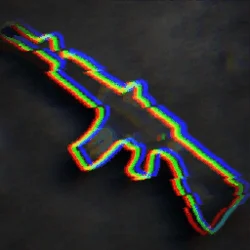
DEADSHOT.io is a fast, lightweight first-person shooter for Android that puts quick multiplayer gunfights in your pocket. It is the mobile port of the popular browser shooter Deadshot.io, made by Just a tree, and it keeps the same idea that made the browser version popular: open the game, join a lobby, and start shooting within moments. There are no long downloads, no heavy menus, and no complicated loadout screens standing between you and the match.
Also try Zombie Catchers.
The current version on this page is v1.4, the same build published on Google Play, and the official package name is com.tree.deadshot. Always check the package name after installing, because copycat shooters with similar names float around the internet. This guide covers the genuine game: what it is, how its movement system works, the modes you can play, its best features, safe installation steps, and answers to the questions players ask most.
What is DEADSHOT.io?
DEADSHOT.io is a casual multiplayer first-person shooter. You play in short arena matches against real players, either in public lobbies or in private rooms with friends. Matches are built for quick sessions: you spawn, fight, respawn, and jump straight back into the action, so a full game fits easily into a short break. The game first became known as a browser title in 2022, and the Android app brings that same experience to phones with touch controls and controller support.
Unlike big mobile shooters that demand gigabytes of storage and long update times, DEADSHOT.io stays small and light. The whole app is only about 18MB, so it downloads quickly and runs on modest phones. That lightness is part of the appeal: the game focuses on movement and aim rather than flashy menus, and it loads fast enough that you can play a match whenever you have a few spare minutes.
The setting is simple on purpose. You get an arena, a weapon, and opponents who are trying to do exactly what you are doing. There is no story campaign to grind through and no pay-to-win shortcut to worry about. In-game currency is earned through matches and challenges and spent on cosmetic items, so winning comes down to aim, positioning, and how well you use the movement system.
DEADSHOT.io APK Download Latest Version:
The latest version on this page is v1.4, the same build currently published on Google Play. The file is about 18MB and requires Android 7.0+ or higher. The official package name is com.tree.deadshot, which matches the Play Store listing exactly. After installing, open Settings, then Apps, then DEADSHOT.io, and confirm the package name to be sure you have the genuine release from Just a tree.
Also try Traffic Rider.
New versions of DEADSHOT.io usually bring balance changes, bug fixes, and performance improvements. Because progress is tied to your account rather than to a single device, updating is safe: install the new version over the old one and your unlocked items stay where they were. If you ever get a signature error while updating, that means the installed copy came from a different source. In that case, uninstall it and install the new version fresh.
How to Play DEADSHOT.io:
A match starts in the lobby, where you pick a weapon and join a public game or create a private room for friends. Once you spawn, the rules are simple: eliminate opponents, complete the objective if the mode has one, and stay alive longer than the other team. Respawns are instant, so a lost duel costs you seconds, not the whole match, and every round is a chance to fix the mistake that got you killed.
Movement is what separates good DEADSHOT.io players from average ones. Sliding lets you drop under fire and change direction fast, slide-jumping carries that speed into the air, and air strafing lets you steer mid-jump to reach angles your opponent does not expect. Chaining these moves together keeps you hard to hit and opens up shots that a player standing still would never get. Spend a few minutes in a private room practising slide timing and air control before your first public match, and the difference will show immediately.
Weapons reward different styles. The SMG stays stable in mid-air and shines in close fights after a slide-jump. Shotguns dominate tight corridors and choke points but punish missed shots, because the second shot comes slower. Longer-range weapons reward patience and positioning, letting you hold lanes while your team pushes. Try each weapon class for a few matches and keep the one that fits how you actually move, not just the one that looks strongest on paper.
DEADSHOT.io Game Modes:
DEADSHOT.io offers several modes, so the game does not go stale after a few matches. Free For All drops you into an arena where every player is a target and the highest score wins. Team Deathmatch splits players into two teams and rewards coordination, callouts, and holding positions together. Objective modes change the goal completely: Hardpoint asks your team to hold a shifting zone, Kill Confirmed makes you collect dog tags from fallen opponents, Domination is about capturing and holding points, and Capture the Flag turns the match into a race to steal and return the flag.
Private rooms are one of the best features for casual players. You can create a room, invite friends, and play your own rules without strangers or pressure. That makes DEADSHOT.io a good choice for a quick game night, a break between classes, or a practice session where you learn the maps together. Public matchmaking, meanwhile, fills lobbies quickly, so you rarely wait long for a match.
Features of DEADSHOT.io:
DEADSHOT.io is free, and it is built around speed and simplicity. Here are the features players talk about most:
Fast Lobbies and Quick Matches
Joining a game takes seconds, and matches are short enough for a commute or a coffee break. Quick respawns and instant rematches mean you spend your time playing, not waiting in menus or watching loading screens.
Skill-Based Movement
Sliding, slide-jumping, and air strafing give the game a high skill ceiling without making it hard to start. New players can run and gun from their first match, while experienced players keep finding faster routes and trickier angles across the maps.
Private Rooms for Friends
Create a room and invite your squad for a private match. It is the easiest way to play with people you know, practise together, and settle who actually has the best aim.
Custom Controls and Controller Support
The mobile version supports custom touch layouts, so you can move buttons to fit your hands, and it works with compatible controllers. If you play with a controller, spend a minute tuning sensitivity in the settings first, since a layout that feels right on touch may feel different on a gamepad.
Lightweight and Free
At only about 18MB, DEADSHOT.io fits on phones that cannot handle the big battle royale titles, and it is completely free to play with no pay-to-win mechanics. Cosmetics are the only thing to spend on, and they never change how a weapon performs.
DEADSHOT.io on PC and in the Browser:
You do not need the Android app to play Deadshot.io at all. The original game runs directly in a browser at deadshot.io, with no download and no installation, and it works on Windows, Mac, and Chromebooks as well as on phones. That is worth knowing for two reasons: first, you can try the game instantly before installing anything, and second, progress and skills carry over in the sense that the maps, weapons, and movement feel the same on both versions.
Also try Geometry Dash Lite.
The Android app is the better choice when you want to play on the go, because it is tuned for touch controls and does not depend on a browser tab staying open. The browser version is the better choice on a shared computer or a school Chromebook, where installing apps is not an option. Both are free, and both connect you to the same fast, lobby-based multiplayer.
DEADSHOT.io vs Krunker.io and Shell Shockers:
Players searching for DEADSHOT.io often compare it with Krunker.io and Shell Shockers, the other well-known browser shooters. Krunker.io is the closest comparison: it is also a fast, movement-heavy FPS with a huge community and deep customisation, but its mobile experience is less focused than a dedicated app. Shell Shockers takes a lighter, sillier route, with egg characters and simpler gunplay that is fun in short bursts but offers less depth for players who want to improve.
DEADSHOT.io sits between the two. It is more serious about gunplay and movement than Shell Shockers, and more streamlined on mobile than Krunker.io. If you want a dedicated Android app with quick lobbies, private rooms, and a movement system you can keep mastering, DEADSHOT.io is the natural pick of the three.
How to Download and Install DEADSHOT.io:
Installing DEADSHOT.io from an APK file takes only a few minutes, and the small file size means the download finishes quickly even on mobile data.
1. Download the DEADSHOT.io APK file from the download button on this page and wait for the download to finish.
2. Open the phone Settings, go to Security or Apps, and allow installation from unknown sources for your browser or file manager.
3. Open the downloaded APK file from the notifications panel or the Downloads folder.
4. Tap Install and wait for the installation to complete.
5. Open DEADSHOT.io, adjust your control layout and sensitivity, and join a lobby or create a private room.
6. Practise sliding and air strafing in a private room before jumping into public matches.
After installation, verify the package name is com.tree.deadshot in the app info screen. This confirms you installed the genuine Just a tree release. The game needs an internet connection for multiplayer matches, since every mode is played against real players in live lobbies.
Frequently Asked Questions:
Is DEADSHOT.io free to play?
Yes. DEADSHOT.io is completely free to play on Android and in the browser. There are no subscription fees and no pay-to-win mechanics. In-game currency is earned through matches and challenges, and it is spent on cosmetic items that do not change weapon performance.
Can I play DEADSHOT.io offline?
No. DEADSHOT.io is an online multiplayer game, so every mode needs an internet connection. There is no single-player campaign or offline bot mode in the Android app, which is why matches are so quick to find: everyone online is in the same lobby pool.
Can I play DEADSHOT.io on PC without downloading?
Yes. The original Deadshot.io runs directly in a browser at deadshot.io, with no download or installation. The Android app is a separate mobile port of the same game, tuned for touch controls and controllers, and it is the better option when you are playing on a phone.
What game modes does DEADSHOT.io have?
The live modes include Free For All, Team Deathmatch, Hardpoint, Kill Confirmed, Domination, Team Kill Confirmed, and Capture the Flag, plus private rooms where you can play with friends. Modes can change as the developers update the game, so the lobby list in the app is the final word on what is available today.
Does DEADSHOT.io support controllers?
Yes, the Android version supports compatible controllers alongside its customisable touch layouts. If controller sensitivity feels low, open the in-game settings and raise it gradually, then test it in a private room before joining a public match.
Also try Brain Out.



Leave a Reply
Your email address will not be published. Required fields are marked *