
Review:
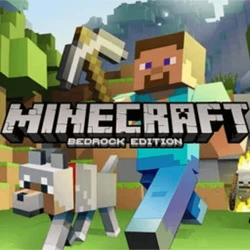
Minecraft Pocket Edition is the Android version of Minecraft, the best-selling game of all time. It is a block-building sandbox where you explore an infinite world, mine resources, craft tools, build anything you can imagine, and survive the night against zombies, skeletons, spiders, and creepers. The game is now officially called just Minecraft, and the mobile version runs the Bedrock Edition, the same edition that plays on consoles, Windows, and iOS, so your phone can join the same worlds as your friends on other devices.
Also try Geometry Dash Lite.
The version on this page is 1.26.66.1, the same build published on Google Play on November 18, 2026, and the official package name is com.mojang.minecraftpe. The game is made by Mojang, it costs $6.99 as a one-time purchase with no ads, and it needs Android 10.0 or higher for this build. The file here is about 1.21GB because it is the full universal build with music, working on both 64-bit and 32-bit phones. This guide covers the genuine Minecraft release: what the game is, how it plays, its best features, the latest version details, how it works on a PC, and safe installation steps for the file.
What is Minecraft Pocket Edition?
Minecraft Pocket Edition is the name Android players have used since 2011, when Minecraft first came to phones. The game itself has grown a lot since then: the Pocket Edition was merged into the Bedrock Edition, which is now the single version of Minecraft that runs on Android, iOS, Windows, Xbox, PlayStation, and Switch. The store listing today just says Minecraft, but millions of players still search for Pocket Edition, so that is the name this page uses too.
The game drops you into a world made of blocks. Everything is a block: the dirt under your feet, the trees, the mountains, the water, and the creatures. You punch trees to get wood, turn wood into tools, mine stone and iron, and build a shelter before night falls. When the sun goes down, hostile mobs come out, and that first night in a dirt hut with a wooden sword is a memory every Minecraft player shares.
The game has passed 100 million installs on Google Play and holds a rating of about 4.3 stars from more than 4.6 million ratings, which makes it one of the most-installed games on Android. It has been available on Google Play since August 2011, and it is still updated regularly: the current version arrived on November 18, 2026. There is no end to it in the usual sense. You can play for an hour or for years, and the world keeps going.
Minecraft Pocket Edition APK Download Latest Version:
The latest version on this page is 1.26.66.1, the same build currently published on Google Play. The file is about 1.21GB and requires Android 10.0+ or higher. The official package name is com.mojang.minecraftpe, which matches the Play Store listing exactly. After installing, open Settings, then Apps, then Minecraft, and confirm the package name to be sure you have the genuine release from Mojang.
Also try Traffic Rider.
This file was checked before it was put on this page. The package name, the version, and the version code all match the Play Store listing, and the signing certificate is the same across the file's signature blocks, so the file here is the genuine 1.26.66.1 build and not a copy. One honest detail about the size: this is the universal build, which carries both the 64-bit and the 32-bit native libraries plus the full music pack, so it is bigger than the single-architecture file Google Play would give your phone. That is why it is 1.21GB. If you are short on space, free up room before downloading, and use Wi-Fi, because the file is large.
Version 1.26.66.1 is a hotfix in the 26.66 line. It fixes interacting with mobs while they are inside blocks, smooths out touch controls, brings achievements back in some add-on worlds, and makes uploading worlds to Realms faster and more reliable. New versions of Minecraft usually bring bug fixes, new blocks and mobs, and performance improvements. Because your worlds are saved on your device and through your account, updating is safe: install the new version over the old one and your worlds stay exactly where they were. If you ever get a signature error while updating, that means the installed copy came from a different source. In that case, back up your worlds, uninstall, and install the new version fresh.
Minecraft Features:
Minecraft is a huge game, and its features list could fill a book. The ones below are the parts players actually spend their time on.
Survival and Creative Modes
Survival mode is the classic game: gather resources, manage hunger, craft better gear, and stay alive. You start with nothing, and every diamond tool you make feels earned. Creative mode gives you unlimited blocks and the ability to fly, so you can build a castle, a city, or a working computer out of redstone without worrying about monsters or hunger. You can switch between the two, and many players keep one world for surviving and another for building.
Infinite Worlds to Explore
Every new world is generated at random, so no two players start in the same place. There are forests, deserts, snowy mountains, oceans, jungles, caves, and villages, each with its own resources and dangers. Underground you will find ores, abandoned mineshafts, and strongholds, and above ground you can travel thousands of blocks in any direction. The world is effectively endless, which is why players can spend years in a single save.
Crafting, Redstone and Enchanting
Crafting is how you turn raw materials into tools, weapons, armour, and machines. A crafting table opens up hundreds of recipes, from a simple wooden pickaxe to a full set of netherite armour. Redstone is the game's wiring system: with it you can build automatic farms, hidden doors, traps, and even simple computers. Enchanting adds powers to your gear, like sharper swords and faster pickaxes. Learning these systems is a game in itself, and it is where Minecraft stops being a simple building game and becomes a hobby.
Mobs, Biomes and Bosses
The world is full of creatures. Friendly ones like cows, pigs, and bees give you food and materials. Hostile ones like zombies, creepers, and the Ender Dragon want you dead. Some, like wolves and cats, can be tamed and will follow you home. There are also villagers to trade with, wandering traders, and rare bosses in the Nether and the End. The variety is why the game never feels empty: there is always something moving in the distance, and it is not always friendly.
Multiplayer, Realms and Cross-Platform Play
Minecraft on Android plays with the same Bedrock Edition as consoles, Windows, and iOS, so you can join friends no matter what they play on. You can host a world for friends to join, play on a server, or rent a Realm, which is a private server that stays online even when you are not playing. Signing in with a Microsoft account keeps your purchases and your Marketplace content with you, and it is free to set up.
Marketplace, Skins and Add-Ons
The in-game Marketplace sells community-made worlds, skins, texture packs, and add-ons, some free and some paid with Minecoins. Add-ons can change the game itself: new mobs, new items, new rules. If the vanilla game ever feels too familiar, the Marketplace is where players go for a fresh experience without leaving Minecraft. Your own skins and texture packs work too, and you can make your own world look completely different with a single download.
Is Minecraft Free?
No, Minecraft is a paid game, and the price is $6.99 as a one-time purchase on Google Play. There are no ads. There are optional in-app purchases inside the game: Minecoins, which buy things in the Marketplace, and Realms, which is a monthly subscription for a private server. Neither one is needed to play the full game. You pay once and you get Survival, Creative, multiplayer, and every update that comes after.
Also try Miga World.
Because the game is paid, any site offering the full game for free is not offering the real thing. Free copies of Minecraft are the oldest trick in mobile gaming: the file often looks like Minecraft and even plays like it, but it can carry added permissions and code that the real game does not have. There have been real cases of fake Minecraft copies quietly signing phones up for premium SMS services. The file on this page is the genuine paid release, checked against the Play Store listing. If you want the game for less, wait for a sale on Google Play, where it is discounted from time to time, rather than trusting a free copy from a random site.
Minecraft for PC:
There is no Minecraft APK for a PC, because the game is not an Android app on a computer. But Minecraft does work on a PC in the proper way: the Bedrock Edition is sold on the Microsoft Store for Windows, and the Java Edition is sold on minecraft.net. They are two different versions of the game. Bedrock is the one on your phone, and it plays with consoles and mobile. Java is the original PC version, with its own servers and its own modding scene, and it does not run on a phone.
If you only have a computer and no phone, the Microsoft Store version is the one that matches this page, and your Microsoft account carries your Marketplace purchases between the two. One honest limit: the two editions do not share worlds directly, so a world you build on Android will not open in Java Edition, and a Java world will not open on your phone.
How to Download and Install Minecraft on Android:
The file on this page is a single APK, which installs like a normal app. It is a large file, so the only extra step is making sure you have space and a good connection.
1. Download the APK file from the download button on this page. The file is about 1.21GB, so use Wi-Fi and make sure you have at least 2GB of free space before you start.
2. Open the downloaded file from your Downloads folder and tap Install. When Android asks, allow installs from your browser or file manager. This is the standard "Install unknown apps" permission, and you can turn it off again after the install.
3. Wait for the install to finish. It takes longer than a small app because of the file size, so do not close the installer while it is working.
4. Open Minecraft, sign in with a Microsoft account if you want cross-platform play and Marketplace purchases, and start a new world or open an old one.
This build needs a phone running Android 10.0 or higher, and it works on both 64-bit and 32-bit phones because it carries both sets of native libraries. If the installer reports that the package is damaged, delete the file and download it again, because a partial download is the usual cause with a file this large. And as always, check the package name after installing: it should read com.mojang.minecraftpe. You can play solo fully offline, but multiplayer, Realms, and the Marketplace need an internet connection.
Is Minecraft Safe to Download?
Yes, if you get the genuine file. Minecraft is a real game from Mojang, a Microsoft studio, it carries no ads, and its paid features are Minecoins and Realms, which live on your account, not in the app file. That means any site offering a free, unlocked, or cracked version of the full game is not offering the real app: there is nothing in the file itself to unlock, because the paid price is checked when you buy it. A free copy can only be a fake, and fake Minecraft copies have a long history of carrying malware.
Also try Pac-Man.
Before you install any copy, check two things: the package name and the developer name. The package must be com.mojang.minecraftpe and the developer must be Mojang. If either one is different, do not install it. The file on this page was checked against both, and its version and version code match the Play Store listing, so it is the genuine 1.26.66.1 build. There is also a separate free app called Minecraft Trial, which is the official demo: it lets you play a limited survival world for free, and it is the safe way to try the game before buying the full version.
Frequently Asked Questions:
What is Minecraft Pocket Edition?
Minecraft Pocket Edition is the old name for Minecraft on Android. The game is now just called Minecraft, and it runs the Bedrock Edition, the same version that plays on consoles, Windows, and iOS. It is a sandbox game where you explore a world made of blocks, gather resources, craft tools, build whatever you like, and survive the night against monsters. The Pocket Edition name is still what most players search for, which is why this page uses it.
Is Minecraft really free?
No. Minecraft costs $6.99 as a one-time purchase on Google Play. There are no ads, and the full Survival and Creative game is included in that price. Optional extras like Minecoins and Realms cost more, but they are not needed to play. Any site offering the full game for free is not offering the genuine game.
What is the latest version of Minecraft for Android?
The latest version is 1.26.66.1, released on Google Play on November 18, 2026. It is a hotfix that fixes interacting with mobs inside blocks, smooths out touch controls, brings achievements back in some add-on worlds, and makes Realms world uploads faster. The version on this page is that same 1.26.66.1 build.
Can I play Minecraft offline?
Yes. Single-player Survival and Creative worlds work fully offline once the game is installed. You only need an internet connection for multiplayer, Realms, the Marketplace, and signing in with a Microsoft account. Your worlds are saved on your device, so a plane ride or a weak signal never stops a solo session.
Can I play with friends on other devices?
Yes. Minecraft on Android is the Bedrock Edition, which plays together with Windows, iOS, Xbox, PlayStation, and Switch. You can join a friend's world, play on a server, or rent a Realm that stays online for everyone. You will need a free Microsoft account to play online, and everyone needs to be on a compatible version of the game.

Leave a Reply
Your email address will not be published. Required fields are marked *